Five buttons on the back, none of them labeled
It's late, the room is dark, and my monitor is doing a convincing impression of a
lighthouse. The fix is supposedly right there: a cluster of unlabeled buttons on
the back, which you press blind while leaning around the side and hoping. One of
them opens a menu designed in 2009 and not thought about since. You poke through
it, find brightness, take it all the way down, and it's still too bright.
Windows has a brightness slider, but it only talks to a laptop's built-in screen.
The monitor on your desk isn't invited. There are apps that fix that, and the
popular one ships an entire web browser in your tray so it can draw you a slider.
That felt like a lot, for a slider.
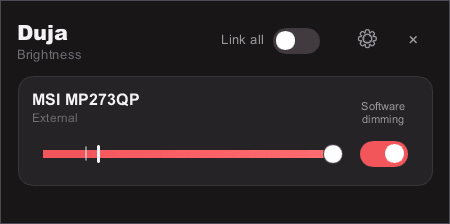
So I wrote Duja. It's a tray icon. You click it, you drag one thing, and every
screen on your desk actually dims.
Zero was never the bottom
Your monitor's minimum brightness is a decision someone made at a factory, for a
bright office, not for you at 2am. So Duja doesn't stop there. Once the panel is
as dark as it's willing to go, the app takes over in software and keeps going,
down to near-black. One slider, one continuous motion, and you can't feel the
handoff.
The other half is making the slider mean something. On most tools, 20% means
"write 20 to the monitor," and what that looks like depends on which panel you
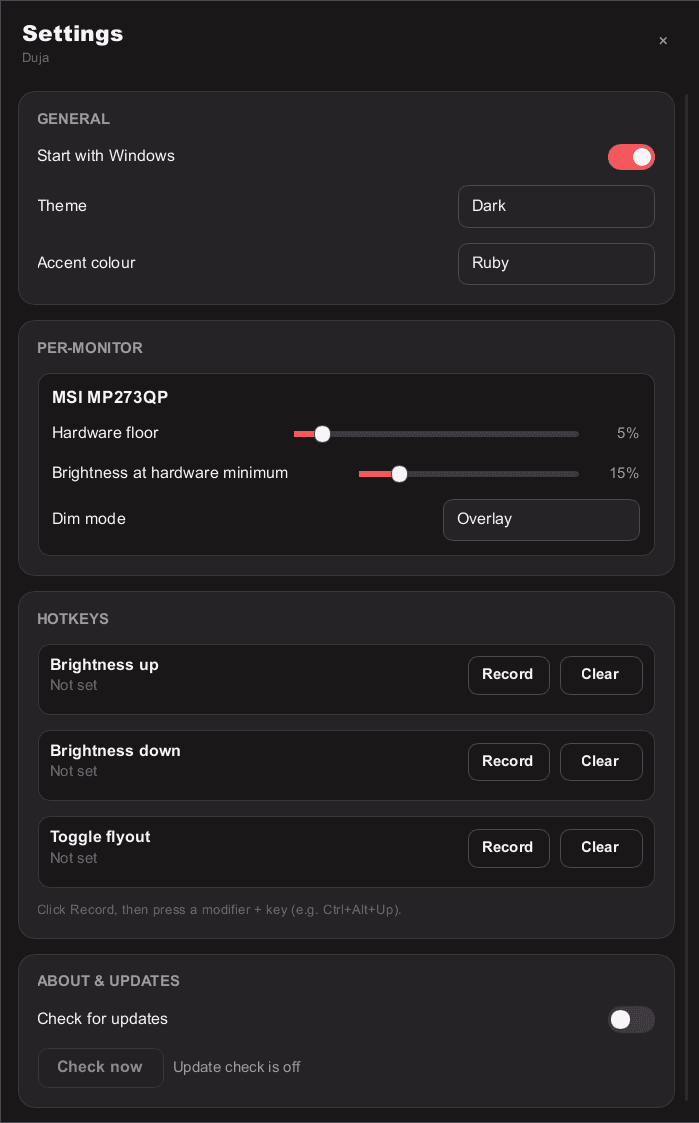
bought. Duja treats the slider position as the brightness you perceive and works
backwards. You do have to tell it how bright each screen still looks at its own
zero, because a monitor will not tell you that itself. Once you have, two displays
side by side finally agree on what "half" means.
Monitors lie, and I have the receipts
I assumed the hard part would be the math. It was not. The protocol for talking to
a monitor is thirty years old and every panel implements it slightly wrong.
My own monitor taught me most of this. Ask it two questions back to back and
roughly two thirds of the time the second one fails, so you have to wait 50ms
between words like you're talking to someone across a bad phone line. Ask which
inputs it has and it reports a maximum of three while insisting it's currently on
number fifteen.
So Duja ships a database of per-model workarounds, which right now contains
exactly one entry: mine. That's sort of the point. When someone hits a monitor
that misbehaves in a new and creative way, they file a report, and their panel
becomes everybody's fix.
Named after the dark
Duja is Arabic for darkness, which felt right for something whose entire job is
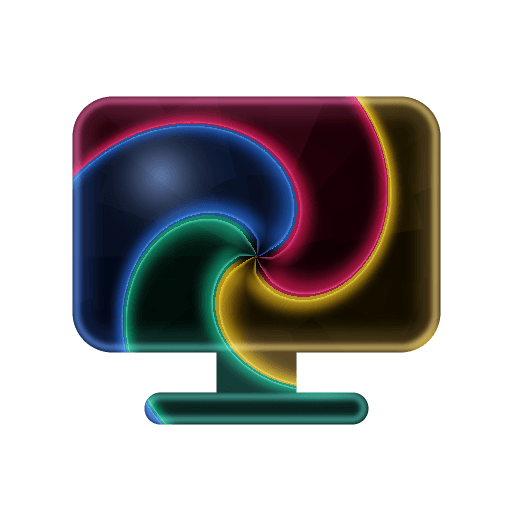
turning the lights down. The icon leans into it: a near-black whirlpool with light
glowing through the seams, generated from code rather than drawn, so the taskbar
icon and the installer can't quietly drift apart.
The review that would not stop
Every change to Duja gets an adversarial review pass whose only job is to find
what's wrong with it, on top of close to fifteen hundred tests and lint rules
that won't let me write a lazy crash. Mostly that's been the best decision in the project.
Mostly.
One pull request went twenty-eight rounds and close to two hundred findings. The
code was finished around round nine, and more and more of what came after was the
review objecting to fixes the review itself had asked for. I had built a machine that
generated its own homework. Two rules came out of it: weigh code over prose, and
never write a count in a comment, because the next edit turns it into a lie.
Same instinct behind what's on the label. Windows is the road-tested one. macOS
and Linux are complete and green on CI, but nobody has run either one on the
hardware it targets yet, so they ship marked as unverified previews instead of
quietly pretending. A tool that reaches into your display settings should be
upfront about what it has and hasn't actually proven.